Platform:WinNT 4.x,Windows2000,WinXP,Windows2003,Windows Vista Starter,Windows Vista Home Basic,Windows Vista Home Premium,Windows Vista Business,Windows Vista Enterprise,Windows Vista Ultimate,Windows Vista H
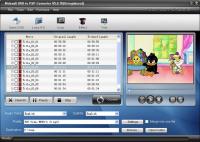
Nidesoft DVD to PSP Suite is all-in-one easy-to-use DVD to PSP ripper software, PSP music and PSP Movie converter.The suite includes two excellent products: DVD to PSP Converter and PSP Video Converter.
Nidesoft DVD to PSP Suite is an all-in-one easy-to-use DVD to PSP ripper software, PSP music/movie converter. The Suite includes two excellent products: Nidesoft DVD to PSP Converter and Nidesoft PSP Video Converter.
Nidesoft DVD to PSP Converter is powerful DVD to PSP rip software which convert DVD to PSP movie and PSP music with high quality and fast conversion speed.
Nidesoft PSP Video Converter is powerful PSP movie/video converter software to convert almost all video formats to PSP movie/video, convert PSP MP3 files perfectly! With variable settings and fast converting speed to convert PSP video/movie, Nidesoft PSP Video Converter is an affordable PSP video converter with high quality.
All conversion processes of PSP movie/video converter are very fast and easy to handle. Now you could download Nidesoft PSP Video Converter for free to have a great experience !
It also provides free update to latest version to our customers. Whats new in version 2.3.56: add more devices and formats Requirements: Intel Pentium II 350MHz or above, or any Athlon.64 MB RAM or above. Operating system: WinNT 4.x,Windows2000,WinXP,Windows2003,Windows Vista Starter,Windows Vista Home Basic,Windows Vista Home Premium,Windows Vista Business,Windows Vista Enterprise,Windows Vista Ultimate,Windows Vista H Release notes: Major Update
Riptoo Audio Converter is a professional powerful all-in-one audio converting solution and MP4 to MP4 converter.
Price: $19.95, Rating: 10, Downloads: 174 Download
Ripping Blu-ray discs and DVD movies to iPhone-supported video formats;Converting Blu-ray discs and DVD movies to audio formats like M4A, WAV and MP3;Ripping Blu-ray discs and DVD movies to iPod videos;Converting Blu-ray discs and DVD mo
Price: $35.95, Rating: 7, Downloads: 159 Download
XFreesoft DVD Creator for Mac is a super easy DVD creator for Mac users to burn video to DVD. All DVD editing and conversion processes can be done with the most excellent quality and the fastest speed by using XFreesoft DVD Creator for Mac.
Price: $19.95, Rating: 6, Downloads: 110 Download
Power DVD Rip Studio is a powerful DVD copying and ripping software which can rips DVD to AVI, DVD to MPEG, DVD to WMV, DVD to WAV, and DVD to SVCD formats...
Price: $29.95, Rating: 9, Downloads: 102 Download
WinX Bluray DVD iPhone Ripper helps you rip/convert Blu-ray DVD to iPhone iPod MP4 H.264 video for smooth playback on your iPhone as well as iPad, iPod, iPod touch and Apple TV.
Price: $19.95, Rating: 6, Downloads: 100 Download
User Rating
Rating:2.2 out of
5 Based on13 ratings.
13 user reviews.

 Nidesoft DVD to PSP Suite 2.3.56 details